

- Pricing
- Features
- Industries
- Affiliate/Partner
- Resources
One WhatsApp Number,
Multi-Agent LoginMultiple agents can take over customer conversations through one single WhatsApp number. Oversee all conversations and increase productivity
 Blue tick
 No Markup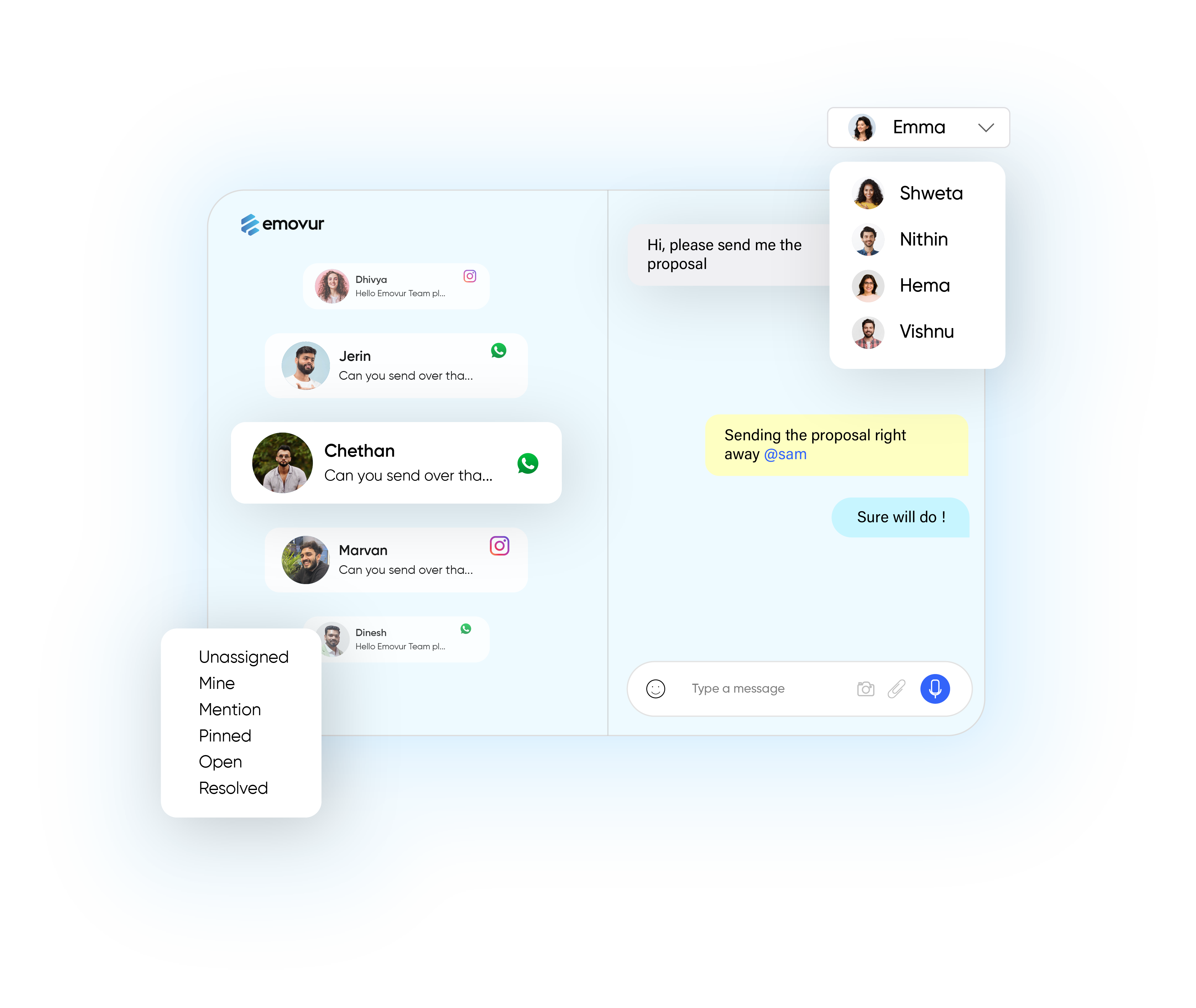
What you can do
with Shared Team Inbox?

Engage Proactively,
Build Trust
Proactively connect with customers during bot interactions to handle complex queries, foster trust, and build lasting relationships.

Support Made
Effortless
Deliver personalized responses and resolve issues fast, ensuring your customers feel supported at every step.

sell Smarter,
Respond Faster
Engage leads instantly, share product insights, and close deals efficiently-all from one shared inbox.
There's a lot to leverage
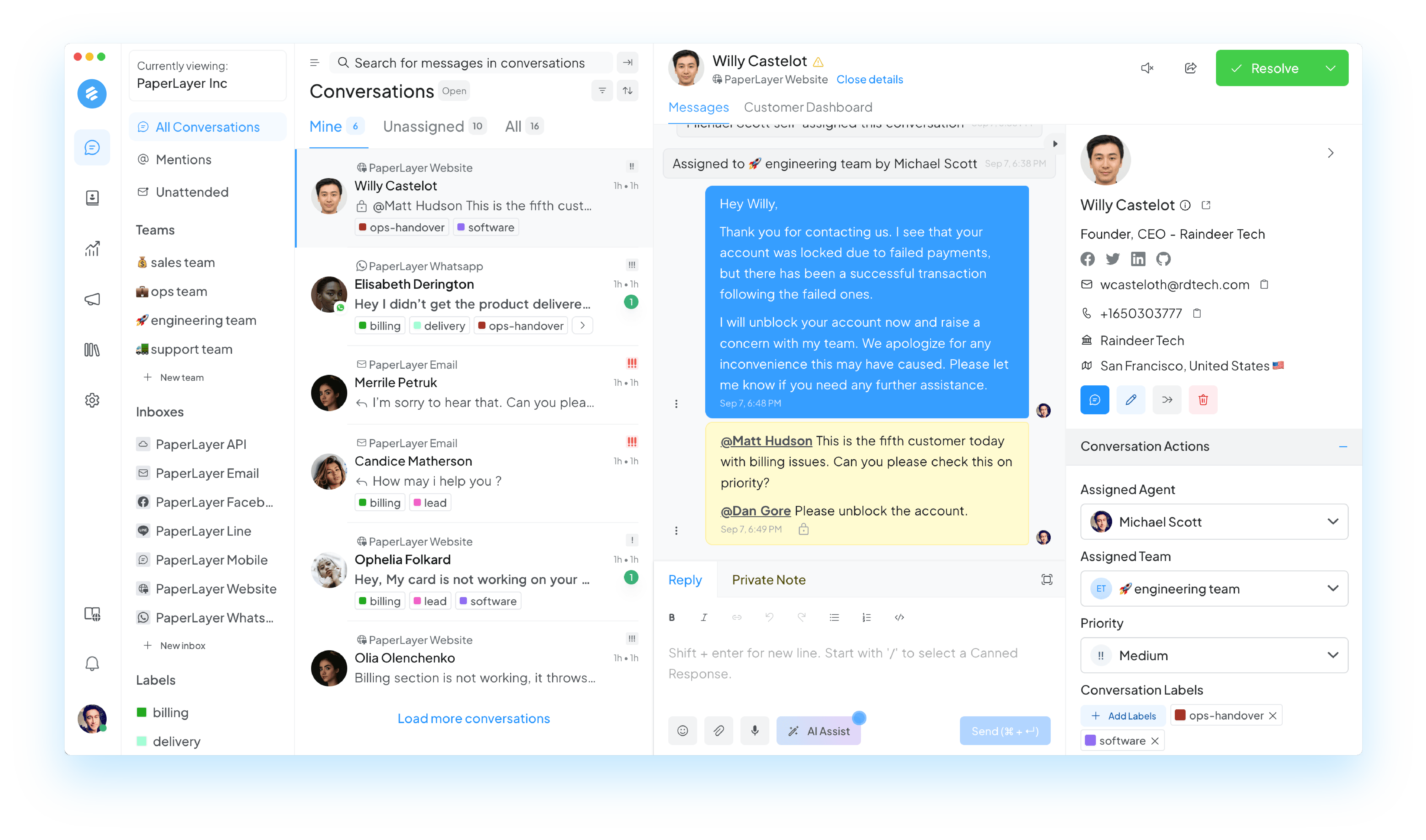

Organize users and teams
assign chats to specific agents and create teams for seamless collaboration.

Omnichannel Inbox
Unify interactions from Facebook, Instagram, Website chat, and email into one inbox for seamless communication.

Smooth Chatbot to Human Transfer
Easily switch chats from both to agents, ensuring complex querises get a personal touch.
Manage

Labels
Add labels to chats and keep it organized.
Contact Notes
Add labels to contacts
Contact Segments
Filter and group your contacts into segments
Teams
Create internal teams
Private Notes
Privately discuss customer queries with your teammates
Labels
Add labels to chats and keep it organized.
Contact Notes
Add labels to contacts
Contact Segments
Filter and group your contacts into segments
Teams
Create internal teams
Private Notes
Privately discuss customer queries with your teammates
Productivity

Business Hours
Let customers know you're not available to answer their questions

Command Bar
Use the command bar to perform actions

Canned Responses
Save frequently sent messages as templates

Keyboard Shortcuts
Master Chatwoot with keyboard shortcuts

Bulk Actions
Update multiple conversations at once

Agent Capacity
Set limits to auto-assigning conversations to your agents.
Business Hours
Let customers know you're not available to answer their questions
Command Bar
Use the command bar to perform actions
Canned Responses
Save frequently sent messages as templates
Keyboard Shortcuts
Master Chatwoot with keyboard shortcuts
Bulk Actions
Update multiple conversations at once
Agent Capacity
Set limits to auto-assigning conversations to your agents.
Automation

Macros
Macros let you run a sequence of actions upon a click.

Automation Rules
Perform actions upon a pre-defined event.

AI replies
Generate or change the tone of reply to friendly or formal.
Macros
Macros let you run a sequence of actions upon a click.
Automation Rules
Perform actions upon a pre-defined event.
AI replies
Generate or change the tone of reply to friendly or formal.
Analyse

Agent Report
Track your agents' performance, with auto-updating reports

CSAT
Get reports on how customers respond to your chat

Team Reports
Analyse how each of your teams is performing

Label
See which labels get the most conversations, and how long it takes to resolve them.
Live view
Get realtimes insights about your support operations
Agent Report
Track your agents' performance, with auto-updating reports
CSAT
Get reports on how customers respond to your chat
Team Reports
Analyse how each of your teams is performing
Label
See which labels get the most conversations, and how long it takes to resolve them.
Live view
Get realtimes insights about your support operations











Frequently Asked Questions
Get Started with
Emovur
Today
Engage & Re-engage Prospects
Drive Sales
Deliver higher CSAT
Support at Scale
Try Emovur for Free


Customer interaction,
on the go
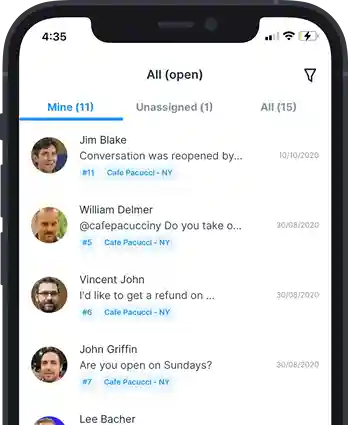
Emovur chat for mobile enables you to browse conversations, reply to messages and collaborate with your team. Now available on Android and iOS.


Customer interaction,
on the go
Emovur chat for mobile enables you to browse conversations, reply to messages and collaborate with your team. Now available on Android and iOS.